

Key takeaways
- AI products run as live services, so a weak network makes a demo look broken.
- Dedicated bandwidth keeps your stand away from visitor traffic.
- Clear screens and clean audio keep visitors at your stand longer.
- Early installation and testing protect your demo time.
- A technician on the floor fixes problems in minutes.
- One provider for the internet, AV and devices means fewer risks.
An AI show has one simple rule. Everything must work, all day. Live demos, cloud platforms and video walls all need a steady connection and good AV.
This guide shows what we set up at ADNEC Centre. It also explains why it matters and how to plan your own stand. Use it for your next show in Abu Dhabi, Dubai or anywhere in the UAE.
What Happened at Ai Everything Abu Dhabi 2026
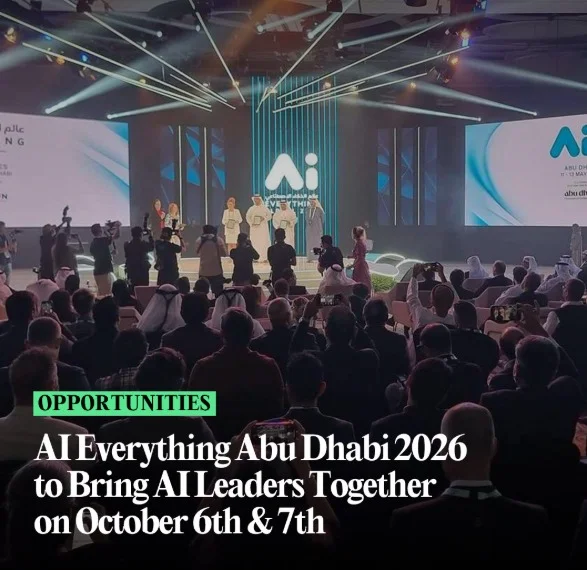
Ai Everything Abu Dhabi took place on 6 and 7 October 2026 at ADNEC Centre. Abu Dhabi’s Department of Government Enablement hosted the event. More than 350 enterprises and startups joined. Policymakers, investors and AI builders walked the halls.
Doors opened at 8:30 AM on Day 1 and 9 AM on Day 2. Our team finished every installation before the first visitor arrived.
ADNEC Centre sits on Khaleej Al Arabi Street, near Capital Gate. Big shows bring tight load in windows. Early setup protects your demo time and your stress levels.
Photo placeholder: [Add a real photo of a stand we supported at ADNEC Centre.]
Why Internet Is the Backbone of an AI Expo
Most AI products at a trade show are not standalone devices. They are live services. They use cloud hosted models, real time dashboards, analytics tools and connected robots.
A slow connection does more than delay a demo. It can make a strong product look like it does not work. A visitor will not wait. They will walk to the next stand.
Exhibition halls are hard on wireless networks. Thousands of visitors carry phones and laptops. Every stand runs its own devices. The shared venue network gets crowded at peak hours.
A dropped link during an investor demo costs real money. Reliable event internet in Abu Dhabi is part of your stand, like the screen or the carpet. It is core infrastructure.
What Each Type of AI Demo Needs From the Network
Not every demo needs the same setup. This table shows what we plan for.
| Demo type | What it needs | Best setup |
| Cloud AI model | Low delay and steady speed | Dedicated line with wired port |
| Live video or camera feed | High upload speed | Wired line, kept separate from guest use |
| Real time dashboard | Constant data updates | Dedicated bandwidth per stand |
| Connected robot or device | Stable local connection | Private network for the stand |
| Investor meeting call | Clear video and audio | Wired line plus backup option |
| Recorded product video | Little internet | Local drive, with a cloud backup |
Tell your provider what you will demo. This one step shapes the whole plan.
What We Set Up on the Stands
Our technicians built each connection around a live demo. We did not treat every stand the same. We asked what each exhibitor would show and planned from there.
- Dedicated bandwidth. Your stand does not share capacity with visitors or neighbours.
- Low latency. Cloud AI tools and live video respond the way you built them.
- Early install and testing. We checked every line before doors opened.
- Technicians on the floor. We fixed issues in minutes, not hours.
- Secure access. Enterprise and government exhibitors need a network they trust.
Exhibitors plugged in and started talking to visitors. That was the goal. You can read our full guide on event WiFi rental in Dubai to see how we plan networks for any event size.
How Setup Day Works at a Large Hall
Good setup follows a clear order. Here is the plan we use at big shows.
Before the show. We collect the exhibitor’s device list and demo needs. We check the venue rules and access times.
Setup day, morning. Our team arrives early and reviews the floor plan. We mark each stand that needs a connection.
Setup day, midday. We install the lines and test the speed at each stand. We fix weak spots before exhibitors arrive.
Setup day, evening. Exhibitors run their full demo on the new connection. We make final changes.
Show days. A technician stays in the hall. Exhibitors report issues and we respond straight away.
After the show. We remove the equipment and collect feedback for next time.
AV Support for Innovatrix International S.R.O
A clear screen and clear sound hold attention. A borrowed monitor weakens a strong product story. Visitors read your stand in about three seconds. The screen does most of that work.
We supplied AV to Innovatrix International S.R.O and several other exhibitors. Each setup covered:
- Displays for demos, product videos and dashboards
- Audio gear so presenters stay clear above hall noise
- Full installation and testing before the show
- Technical support on the floor for both days
When a screen flickers, every minute counts. Our team stayed close to the stands to act fast. You can explore our AV rental service in Dubai for screens, speakers and microphones.
How to Plan Your Stand AV
Good AV starts with a simple question. What should a visitor see and hear in ten seconds?
- Pick the right screen size. Visitors should read your screen from the aisle.
- Show motion, not slides. A short loop of your product grabs more eyes than a still image.
- Check audio at hall volume. Test your sound with the noise of a busy floor.
- Use a directional speaker. It keeps your sound at your stand and out of your neighbour’s space.
- Bring a spare cable. HDMI cables fail at the worst time.
- Label every plug. Your team can fix a problem fast when everything has a name.
Stand Tips for Exhibitors in Abu Dhabi
These tips work at ADNEC and at any large hall in the UAE.
- List every device. Count laptops, tablets, screens and demo units. Share the list with your provider.
- Use a wired line for key demos. Ethernet beats WiFi for your main screen.
- Plan your power. Ask about sockets and extension needs early.
- Prepare an offline fallback. Keep a recorded demo ready on a local drive.
- Test on setup day. Run your full demo at your real stand, not in the office.
- Arrive before opening. Traffic on E11 Sheikh Zayed Road can slow your team on show mornings.
- Train your staff. Everyone at the stand should know who to call if something fails.
- Charge everything the night before. Bring power banks for tablets and demo devices.
Add More Devices Without Adding More Vendors
Many exhibitors need more than a screen and a connection. They need tablets for lead capture and laptops for demos. Some need printers for badges or documents.
We supply these from one team:
- iPad rental for lead capture and surveys
- Laptop rental for demos and presentations
- IT hardware rental for printers, routers and more
- Smart event registration with live tracking and badge printing
- AR, VR and AI experiences for interactive stands
One contact means one call when something goes wrong. Your devices also match your network from day one.
Common Mistakes Exhibitors Make
- Trusting shared venue WiFi for a live demo
- Waiting until the last week to order internet
- Forgetting to count staff phones and tablets
- Skipping a full demo test on setup day
- Bringing no offline backup
- Choosing a provider with no technician on site
- Placing the screen where hall glare hides it
Most stand problems start in planning, not on show day. Fix these early and your demo runs calmer.
Five Questions to Ask Your Event Technology Partner
Ask these before you sign.
- Is the internet dedicated to my stand? Shared venue WiFi rarely handles live cloud demos.
- Who is on site if something fails? Remote support cannot swap a faulty screen.
- Do you test equipment before the event? Show day is too late to find a fault.
- Can one team handle internet, AV and devices? Fewer vendors mean fewer risks.
- What is the backup plan? A strong provider always has one.
Your Pre Show Stand Checklist
Print this list and share it with your team.
- Venue, hall and stand number
- List of all devices and their purpose
- Demo type and internet needs
- Screen and audio needs
- Power sockets and extension needs
- Setup, show and removal dates
- Offline backup demo on a local drive
- Name and phone number of your on site technician
What We Learned From Ai Everything Abu Dhabi
An AI show raises the bar for event technology. Exhibitors bring more live demos each year. They expect the network to keep up.
Three lessons stand out.
First, plan early. Good setups start weeks before doors open. Second, test the real demo. A speed test is not the same as a live run. Third, keep a technician close. Fast help turns a bad moment into a small one.
The UAE keeps growing as a global centre for artificial intelligence. Shows will bring more robots, more live models and more connected stands. We plan to be ready for that.
About Geeks Evolution
Geeks Evolution is an event technology and IT rental company based in Dubai. We started in 2020. Our headquarters sit at Souk Al Bahar in Downtown Dubai, with offices in Mumbai and Bangalore.
We support conferences, exhibitions, government events and corporate shows. Visit our Geeks Evolution homepage to see everything we offer.
Planning Your Next Show?
Exhibiting in Abu Dhabi or Dubai soon? Tell us your venue, dates and stand needs. We will plan the setup with you.
Contact Geeks Evolution today for a quote.
Thank you to Innovatrix International S.R.O and every exhibitor who trusted us at Ai Everything Abu Dhabi 2026. Congratulations to the organisers on a strong show.
Sources
- ADNEC Group (adnec.ae), venue details
- Abu Dhabi Department of Government Enablement (dge.gov.ae), organiser information
- Ai Everything Abu Dhabi official page, exhibitor count and dates
- UAE TDRA (tdra.gov.ae), telecom rules
- Wi-Fi Alliance (wi-fi.org), wireless performance basics
Frequently asked Questions
For live demos, yes. Venue WiFi serves thousands of visitors at the same time. That shared load slows down cloud tools and video. Dedicated bandwidth keeps your demo stable from opening to close.
It is a private connection built for your stand only. Visitor traffic and nearby stands cannot slow it down. You get steady speed and low delay for live demos. It also lets your team use cloud tools with confidence.
Book as early as your dates allow. Early booking leaves time for a site check, a network plan and equipment testing. Busy show seasons fill fast. Last minute requests are possible, but your choice of equipment may be limited.
Price depends on bandwidth, show days, number of devices and venue. A small stand costs less than a large booth with live streaming. Extras like wired ports and backup lines change the total. Share your needs and we will send a clear quote.
Yes. Geeks Evolution provides event WiFi, AV equipment, iPad and laptop rentals and IT hardware from one team. You deal with one contact instead of three vendors. This saves time and cuts the risk of gaps between suppliers.
Yes. A technician stays at the venue during show hours. Exhibitors can report a problem and get help fast. We also test every setup before doors open, so most issues never reach show day.
We supply displays for demos and videos, plus audio gear for presenters. Every setup is installed and tested before the show. Tell us your stand size and what you want to show. We will suggest the right screens and sound.
A good provider builds security into the plan. This can include private network names, password control and separate networks for different uses. Tell us about sensitive content early. We will design the network around your needs.