

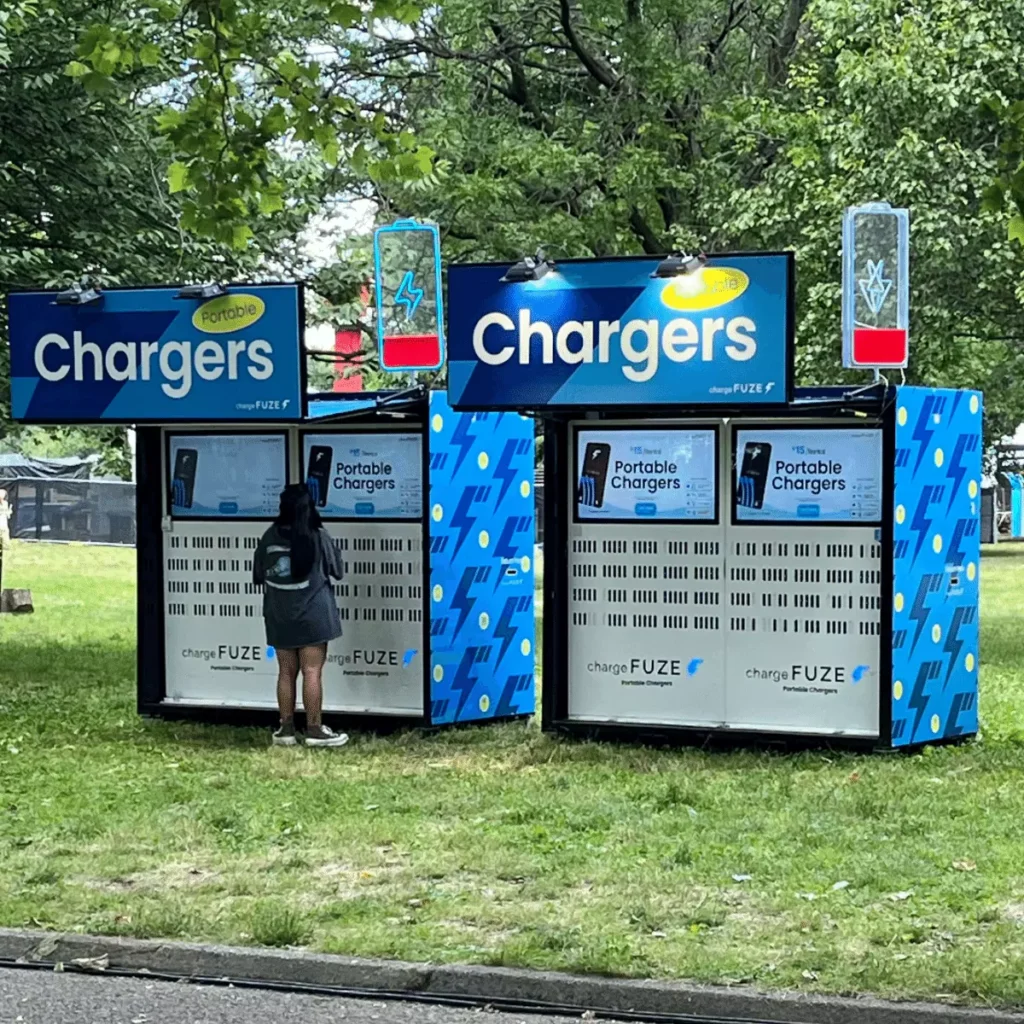
An event device charging station should be sized by watts, not by the number of sockets. Add up the charger wattage of every device that will charge at once, divide by 230 volts to get amps, and keep each circuit at or below about 80% of its rating. For example, 50 iPads and 20 laptops charging together draw roughly 2,300 watts, or 10 amps, which fits one 13-amp circuit only just, so plan two to leave a safe margin. Use charging carts for fleets of 20 or more tablets or laptops, multi-port stations for desks and registration points, and power banks for staff who move around.
Dead batteries are one of the most common causes of a stalled registration desk, a blank exhibition kiosk or a late exam start. Most of them are avoidable with a charging plan made before the event. This guide shows how to do the power math, choose between stations, carts and power banks, lay them out safely and run a charging rotation during the show.
Event device charging: how much power do your devices need?
Start with a list of every device type, how many you have and what charger each one uses. The figures below are typical planning values. Always check the charger label and the device specification, because models differ.
Device | Typical charger (watts) | Typical battery (watt-hours) | Approx. time to charge from low |
|---|---|---|---|
Smartphone | 20 | 12 to 17 | 1 to 1.5 hours |
Handheld scanner or mobile computer | 10 | about 15 | 2 to 3 hours |
iPad (10.2-inch) | 20 | about 32 | 2 to 3 hours |
iPad Pro (13-inch) | 30 | about 38 | 2 to 3 hours |
MacBook Air (13-inch) | 35 | about 53 | 2 to 3 hours |
Business laptop (14-inch) | 65 | 50 to 60 | 1 to 2 hours |
Charge times are estimates and assume the device is switched off or idle. A device in use while charging, such as a registration iPad, charges more slowly or not at all.
The power math for event charging, step by step
- Count devices by type that will charge at the same time, not the total fleet.
- Multiply by charger watts. 50 iPads at 20 watts is 1,000 watts.
- Add the groups. Add 20 laptops at 65 watts, which is 1,300 watts, for a total of 2,300 watts.
- Convert to amps. Divide watts by the supply voltage. The UAE uses 230 volts, so 2,300 watts is 10 amps.
- Keep a safety margin. A standard 13-amp socket supplies about 2,990 watts at 230 volts. Plan to use no more than 80% of that, about 2,400 watts, for equipment that runs for hours.
- Split across circuits. If the total is close to the limit, use two or more circuits. Ask the venue how many circuits your stand or desk area can use.
- Estimate energy for power banks. Multiply the number of devices by their battery watt-hours and by the share you need to recharge. 50 iPads at 32 watt-hours each, recharged by half, need 800 watt-hours. A power bank delivers less than its label rating, so plan for about 70% of it.
Worked example: a conference with 50 iPads and 20 laptops needs about 2,300 watts (10 amps) at peak and about 2.7 kilowatt-hours to charge everything from empty. That fits one 13-amp circuit only just, so plan two circuits. Real draw is usually lower because devices slow down as they fill, but plan for the nominal figure.
These calculations are for planning. Venue power limits, cable lengths and equipment ratings vary, so have a qualified electrician or the venue’s technical team confirm the final layout.
Charging stations, carts and power banks compared
There are four common ways to charge devices at an event. Most events use a mix.
Option | Best for | Typical capacity | Strengths | Limits |
|---|---|---|---|---|
Multi-port charging station | Registration desks, exhibition stands, back offices | Often 6 to 20 ports | Compact, cheap, easy to place | Total output is shared, so full speed on every port isn’t guaranteed |
Charging cart or cabinet | Fleets of tablets or laptops for delegates, exams and training | Often 10 to 40 devices | Lockable, tidy, moves between rooms, often has timed charging | Heavy, needs a clear floor and a dedicated circuit |
Power bank | Staff who move around, outdoor areas, backup | Varies by model | No socket needed, flexible | Delivers less than its label, needs recharging too |
Charging furniture or kiosk | Lounges, networking areas, sponsor zones | A few to a dozen devices | Draws guests, can carry your branding | Costs more, is for personal phones and not for fleets |
How to size charging for your event type
Event type | Devices that need power | Suggested setup |
|---|---|---|
Registration desk | iPads, scanners, badge printers | Power the iPads from the mains through the stand, keep one multi-port station and a power bank as backup |
Exhibition stand with lead capture | 2 to 6 tablets, phones, a screen | One multi-port station and one power bank per stand |
Conference with delegate devices | 50 to 200 tablets or laptops | Charging carts, charged overnight, with top-ups at breaks |
Exam or training room | 20 to 100 laptops | One cart per room, staggered charging, spare devices |
Outdoor festival or roaming staff | Scanners, phones, radios | Power banks, plus a generator or a venue power point for a swap station |
Where to place charging points
- Put charging where the devices live. A station beside the registration desk saves a walk and keeps staff in place.
- Keep it out of the walkway. Cables across aisles are a trip hazard. Run them along walls, under covers or inside the stand.
- Place it where you can see it. A charging area in sight deters theft and makes it easy to check what is charging.
- Plan for guest charging. If you offer phone charging for guests, put it in a lounge or sponsor area, away from staff devices.
- Match the circuit. Know which socket feeds which station, and avoid putting a cart and a screen on the same circuit as a kettle or heater.
Event charging safety
- Don’t daisy-chain extension leads. Plug each station into a wall socket or a rated power distribution unit.
- Use surge-protected, correctly rated equipment and check cables for damage before the event.
- Leave space for air. Don’t cover chargers, carts or power banks, and don’t charge lithium batteries in closed boxes.
- Keep batteries away from heat and liquids, especially in outdoor events in the summer.
- Check the venue’s rules on power banks, batteries and overnight charging, and tell security what is charging.
- Label and test. Mark each charger and cable with the device type, and test the setup before the doors open.
- Get the layout checked. A qualified electrician or the venue’s technical team should approve the final plan.
A charging rotation plan for multi-day events
For a fleet that runs all day, a rotation keeps devices ready without long pauses.
- Charge fully the night before the event. Start every device at 100%.
- Use three zones: in use, charging and ready. Mark them with colour-coded labels or trays.
- Swap early. Change a device at about 30% battery, before it dies in front of a guest.
- Charge at breaks. Top up during lunch and between sessions, and stagger the carts so that the peak load stays low.
- Keep spares. Plan about 10% to 15% extra devices as a rule of thumb, so a swap is always possible.
- Log problems. Note any device that charges slowly or overheats, and remove it from use.
- Reset overnight. Recharge everything, and check the count against your list before you leave.
Rent or buy charging gear for events?
For a one-off event, renting is usually simpler than buying carts and stations you will store for months. Many event technology suppliers include charging gear with the device rental, so the equipment, cables and chargers arrive matched. Ask for a charging plan in your quote, not just the devices. Geeks Evolution can supply multi-port charging stations and power banks with its iPad rental and laptop rental packages in Dubai and across the UAE.
Common event charging mistakes
- Counting sockets instead of watts. Ten sockets on one circuit is still one circuit.
- Charging everything at once on one circuit. Stagger the load or split the circuits.
- No backup. A single station or a single power bank is a single point of failure.
- Forgetting the kit that never sleeps. Kiosks, screens and printers need steady power, and not a battery that fades. See the iPad kiosk stand rental page for stands with built-in cable routing.
- Cables that trip people. Cover them or run them along walls.
- Ignoring the network. A device with power and no connection still fails the guest, so plan event WiFi alongside power. Our guide on how many access points an exhibition hall needs shows how.
Event device charging checklist
Before the event
- List every device type, the quantity and the charger wattage.
- Calculate watts, amps and energy, and split the load across circuits.
- Confirm the number of sockets, the circuit limits and the permitted equipment with the venue.
- Choose stations, carts and power banks, and order spares.
- Label chargers and cables, and print a charging map.
During the event
- Check the charging zones at the start and end of each session.
- Swap devices at about 30%, and keep the ready zone full.
- Keep cables covered and aisles clear.
After the event
- Count devices, chargers and cables against your list.
- Note what ran short, and adjust the plan for the next event.
Frequently asked Questions
Multiply the number of devices by their charger wattage, then add the groups. Divide the total by 230 volts to get amps, and keep each circuit under about 80% of its rating. Add watt-hours separately if you plan to charge from power banks.
Multi-port stations commonly have 6 to 20 ports, and carts hold 10 to 40 devices. The real limit is the station's total output. Divide that wattage by each charger's wattage to see how many devices can charge at full speed at the same time.
If the station gives full power to every port, a typical iPad charges from low in about two to three hours, and all 50 charge at the same time. They draw around 1,000 watts together. If the station shares power between ports, charging takes longer.
Use a cart for a fleet that must be ready every day, such as delegate tablets or exam laptops. Use power banks for staff who move around, outdoor areas and backup. Most events use both, because a power bank can't recharge a whole fleet.
Multiply devices by their battery watt-hours and by the share you expect to recharge, then divide by about 70% of a power bank's rated capacity. Round up and add a spare. For example, 800 watt-hours needs about two 500 watt-hour banks.
Yes, and for desks and kiosks it is the best option. Power them from the mains through the stand so the battery never runs down. Keep a power bank and a spare device ready in case of a cable or socket failure.