

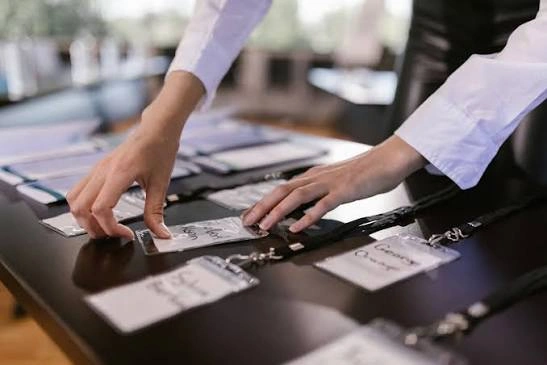
The best way to collect visitor data at an exhibition is to scan the visitor’s badge or QR code with a lead capture app, add two or three qualifying questions and send the lead straight to your CRM. Use a tablet form, a QR code to a short web form or a business card scanner as backups. Whatever you use, ask for consent, keep the form short and follow up within 48 hours.
Exhibition lead capture is where most stand budgets are won or lost. Teams spend weeks on the stand and then lose leads to paper forms, lost business cards and notes nobody can read. This guide compares the main ways to capture leads at a trade show, shows what data to collect and explains how to follow up so that more leads become meetings.
Exhibition lead capture methods compared
Method | How it works | Speed | Data quality | Needs internet | Best for |
|---|---|---|---|---|---|
Badge scan with a lead retrieval app | Scan the visitor’s badge QR code, barcode or NFC chip | Fast | High: data comes from registration | Often works offline and syncs later | Large shows with registered visitors |
Event app or tablet form | Visitor or staff fills a short form on an iPad | Medium | High, if the form is short | Usually yes | Qualifying leads in a conversation |
QR code to a web form | Visitor scans a code on a banner or screen and fills the form on their phone | Medium | Medium: visitors can skip fields | Yes, for the visitor | Busy stands and walk-up traffic |
Business card scanner | Photograph the card and read the text automatically | Medium | Medium: needs checking | Often yes | Shows without badge scanning |
NFC tap | Visitor taps a phone or badge on a reader | Very fast | High | Depends on the setup | Premium stands and short queues |
Interactive activation with sign-up | Robot artist, photo booth or game asks for contact details before the reward | Fast | Medium to high | Usually yes | Drawing crowds and capturing consent |
Paper form or notebook | Staff write details by hand | Slow | Low: hard to read and slow to enter | No | Emergency backup only |
The fastest option is not always the best. Badge scanning is quick, but it only gives you registration details. A tablet form is slower, but it records what the visitor wants, and that is what makes follow-up useful.
What is exhibition lead capture?
Exhibition lead capture is the process of recording who visited your stand, what they were interested in and how to reach them. A good process captures the contact details, the visitor’s need and the next step, all in a format your sales team can act on the same week.
How to collect leads at a trade show, step by step
- Set a goal before the show. Decide what a good lead is, such as a decision-maker with a budget and a project in the next six months. Without a definition, every scan looks the same.
- Choose one main method and one backup. For most stands, that is badge scanning or an app on a tablet, with a QR code form as a backup.
- Write three to five questions. Ask for what your team needs to follow up, such as interest, timeline and who decides.
- Train every person on the stand. A short briefing before doors open makes sure every lead is recorded in the same way.
- Test the equipment and the connection. Scan a test badge, submit a test form and check that the lead reaches your CRM. A reliable connection matters, because a failed sync loses leads.
- Record the conversation, not just the contact. Add a note and a rating while the visitor is still at the stand.
- Export and follow up. Send the leads to sales every evening, and contact them within 48 hours.
Lead capture app for exhibitions: what to look for
A lead capture app for exhibitions replaces paper forms and card piles with a record that syncs to your sales system. When you compare apps, check for:
- Badge, QR and business card scanning in one tool.
- Custom qualifying questions and a hot, warm or cold rating.
- Offline mode, so scans are saved if the hall WiFi drops and sync when it returns.
- CRM export to the system your team already uses, in a standard file format or through an integration.
- Team access, so several staff on one stand feed one lead list.
- Consent tools, such as a consent question or a privacy notice on the form.
- Live reports, so you can see leads per day, per person and per rating.
An event app rental lets you add lead capture, agendas, networking and push alerts without building an app, and it can be branded for the show. It also makes it easier to match scans with the visitor’s registration details.
What visitor data to collect at an exhibition
Collect only what you will use. Every extra field lowers the number of completed forms.
Priority | Data | Why it matters |
|---|---|---|
Must have | Name, company, job title, work email or phone | Needed to follow up |
Must have | Consent to be contacted | Needed to follow up lawfully |
Should have | Product or service of interest | Lets sales prepare a relevant message |
Should have | Timeline and budget stage | Separates hot leads from browsers |
Nice to have | Decision-maker or influencer | Helps with account planning |
Nice to have | Notes and a rating | Gives context a week later |
How to qualify leads at a trade show
A long list of unqualified names wastes your sales team’s time. A simple rating system helps:
- Hot: wants a quote or meeting, has a clear need and a timeline. Follow up the same day.
- Warm: interested, but still researching or waiting for budget. Follow up within a few days with useful content.
- Cold: a browser, a student or a competitor. Add to a newsletter list only if they agreed.
Train staff to ask the same two or three questions, such as “What are you trying to solve?” and “When do you plan to decide?” The answers matter more than the number of scans.
Trade show lead capture ideas that draw visitors in
A good activation gives visitors a reason to stop and a natural moment to share their details.
- Interactive stations: a robotic sketch artist, a photo booth or a VR demo can ask for an email address before sharing the result.
- Touchscreen kiosks: a branded screen where visitors browse products and leave their details to receive a brochure or a quote.
- Product demos with a sign-up: book a demo slot through a tablet at the stand.
- Prize draws and challenges: useful for traffic, but they attract people who want the prize, so add a qualifying question and rate those leads lower.
- Digital brochures: share a link or QR code that opens the brochure after the visitor enters their email.
Consent and data protection when you collect visitor data
Before you collect data, tell visitors what you will do with it and get their agreement. Add a short privacy notice or consent question to the form, and record that consent with the lead. Store the data securely and share it only with the people who need it. UAE and international rules on personal data apply, and they differ by country, so have your legal adviser confirm the wording of your notice and how long you keep the data.
How to follow up on exhibition leads
Speed matters most. A lead that hears from you within two days remembers the stand, and a lead that hears from you after two weeks does not.
- Same day: send hot leads to sales with their notes.
- Within 48 hours: send a short, personal email that mentions what they asked about, and not a generic thank-you.
- Within a week: send a useful follow-up, such as a case study, a demo link or a quote.
- After two weeks: add warm leads to a nurture list, if they agreed to receive updates.
- After the show: compare leads, meetings and sales to the stand cost, so you can improve the next show.
Common exhibition lead capture mistakes
- Too many fields. A long form slows the line and makes visitors skip answers.
- No qualification. A list of names without ratings gives sales nothing to prioritise.
- Relying on one method. If the app or the WiFi fails, you need a backup.
- Weak connectivity. Without a stable connection, leads may not sync until after the show. Ask the organiser about stand internet, or bring your own.
- No consent. Data without consent is a risk to your company and may be unusable.
- Slow follow-up. Leads cool quickly, so contact them while the show is fresh.
- Untrained staff. One person who notes everything and one who notes nothing produce an uneven list.
Frequently asked Questions
The best way is to scan the visitor's badge or QR code with a lead capture app, add a few qualifying questions and sync the lead to your CRM. Keep a QR code web form and a business card scanner as backups, and follow up within 48 hours.
The best app is the one your team will use. Look for badge and business card scanning, custom questions, offline mode, CRM export, team access and consent tools. Test it before the show with a real scan, a real form and a real export.
Collect name, company, job title, work email or phone and consent to be contacted. Add the product they are interested in, their timeline and a rating. Keep the form short, because each extra field lowers completion and slows the queue at your stand.
Ask two or three questions about the visitor's need, timeline and role in the decision, then rate each lead hot, warm or cold. Add a note while the conversation is fresh. A short rating system helps sales contact the best leads first.
Some apps save leads on the device when the connection drops and sync them later. Check this before you buy, and test it. Even with an offline mode, a stable stand connection is better, because it lets you check leads and send them to sales during the show.